
Available courses

Git & GitHub for Beginners

This course is a hands-on introduction to Git, the industry-standard version control system, and GitHub, the platform developers use to collaborate and share code. 

You'll learn why version control matters, how to set up Git on your machine, and walk through the workflow that every developer follows daily from creating a repository, tracking and staging files, making commits, pushing code to GitHub, working with branches, stashing changes, to raising first Pull Request.

By the end of this session, you'll understand:

  - What Git and GitHub are and why every developer uses them
  - How files move through Git's lifecycle, untracked, tracked, staged, and committed
  - How to create repositories, connect them to GitHub, and push/pull code
  - How to undo mistakes — unstage, uncommit, and untrack files
  - How to use branches to work on features without breaking your main code
  - How to temporarily save work using stash
  - How to raise a Pull Request and collaborate with a team

A complete typing mastery course designed for students and professionals to improve speed, accuracy, and confidence. The course includes interactive lessons, practice drills, timed tests, downloadable sheets, and weekly challenges. By the end of the course, learners will comfortably type at 40+ WPM with 95% accuracy.

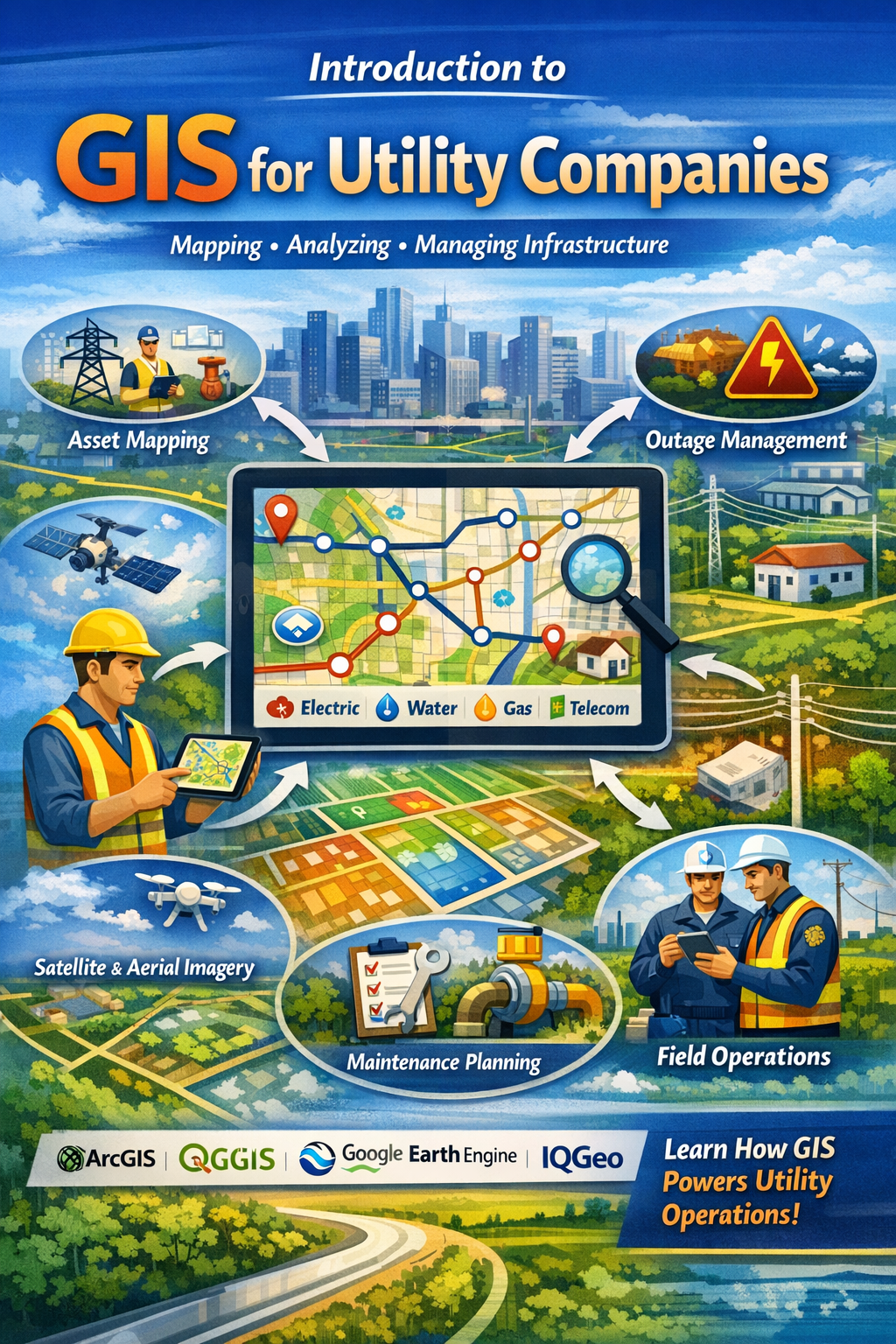
The course “Introduction to GIS” is designed to provide a clear and practical understanding of Geographic Information Systems (GIS) for beginners and non-technical staff working in utility organizations. GIS (Geographic Information System) is a technology used to collect, store, manage, analyze, and display data that is connected to real-world locations. In utility companies such as electricity, water, gas, telecom, and wastewater services, GIS plays a vital role in managing infrastructure and supporting daily operations.

This course explains fundamental GIS concepts in simple and easy-to-understand language. Learners will understand the difference between spatial data (location-based data) and attribute data (descriptive information about assets). The course also introduces vector data (points, lines, and polygons) and raster data (satellite images and grid-based data), helping participants understand how maps are created and used for analysis.

GeoServer Overview Training Course 

This course provides a complete, hands-on introduction to GeoServer, covering installation, data management, publishing services, and styling. By the end of the training, participants will understand the full GeoServer workflow: Data → Service → Style.


GeoServer Introduction & Architecture

Participants learn what GeoServer is and how it fits into GIS architecture. The session covers installation methods, system requirements, OGC standards (WMS, WFS, WCS, WMTS), and GeoServer architecture (Client, Web Server, Core, Data Stores, Styling Engine).
Hands-on practice includes logging into the Admin interface, exploring menus, and previewing demo layers.


Workspaces & Datastores

Focuses on core data management. Participants learn how to create and manage workspaces, connect vector and raster data sources, and configure datastores such as Shapefile and PostGIS.
Hands-on exercises include creating a workspace, connecting to databases, and verifying data connections.


WMS (Web Map Service)

Covers publishing map layers using WMS. Topics include WMS requests (GetCapabilities, GetMap, GetFeatureInfo), CRS handling, layer properties, and map rendering.
Participants publish layers, preview them, and load WMS services into QGIS.


WFS (Web Feature Service)

Introduces serving and editing vector data using WFS. Participants learn WFS versions, operations (GetFeature, Transaction), output formats (GML, GeoJSON), and filtering using CQL.
Hands-on practice includes enabling WFS, querying features, and editing data in QGIS.


Styling (Basic & Advanced)

Focuses on layer styling using SLD. Topics include basic styling, rule-based styling, labeling, scale-dependent rendering, filters, and thematic mapping.
Participants create custom styles, apply advanced rules, and manage styles effectively.


Course Outcome

By the end of the training, participants will:

  • Understand GeoServer architecture and components

  • Manage workspaces and datastores

  • Publish WMS and WFS services

  • Apply professional map styling using SLD

  • Implement best practices for real-world GeoServer deployment

IQGEO

This course provides a comprehensive introduction to the IQGeo platform, a leading geospatial network management solution used by telecommunications and utility companies worldwide.

The course is designed to help learners understand how IQGeo supports the planning, design, construction, and maintenance of complex network infrastructure such as fiber, electric, gas, and water systems.

The course covers:

  • IQGeo Basics

    • Introduction to geospatial network management

    • Key features and core modules

    • Understanding the user interface

    • Basic navigation and workflows

  • IQGeo Architecture

    • System components and overall structure

    • Server and client-side architecture

    • Database integration

    • Web and mobile platform interaction

    • Data flow within the system

  • Configuration and Setup

    • Installation prerequisites

    • Initial environment setup

    • Basic configuration steps

    • User roles and permissions

    • System customization fundamentals

This section covers all the required information for setting up Harbor, Docker, the database, and the necessary VS Code plugins. It also includes details about common errors you may encounter during setup, along with guidance on how to troubleshoot and resolve them.

At the end of this course, you will be able to:

  • Understand the core features and purpose of the Workflow Manager application.

  • Creating and managing projects

  • Create and manage tickets efficiently within the system.

  • Assign tickets to team members and monitor their progress in real time.

  • Update ticket information from the field to ensure accurate and timely tracking.

  • Generate and interpret reports to evaluate performance and workflow status.

This course will equip you with the practical knowledge and skills needed to use the Workflow Manager application effectively, helping you understand how the client use this to streamline their operations.

At the end of this course, you will be able to:

  • Understand the core features and purpose of the Workflow Manager application.

  • Creating and managing projects

  • Create and manage tickets efficiently within the system.

  • Assign tickets to team members and monitor their progress in real time.

  • Update ticket information from the field to ensure accurate and timely tracking.

  • Generate and interpret reports to evaluate performance and workflow status.

This course will equip you with the practical knowledge and skills needed to use the Workflow Manager application effectively, helping you understand how the client use this to streamline their operations.

At the end of this course, you will be able to:

  • Understand the core features and purpose of the Workflow Manager application.

  • Creating and managing projects

  • Create and manage tickets efficiently within the system.

  • Assign tickets to team members and monitor their progress in real time.

  • Update ticket information from the field to ensure accurate and timely tracking.

  • Generate and interpret reports to evaluate performance and workflow status.

This course will equip you with the practical knowledge and skills needed to use the Workflow Manager application effectively, helping you understand how the client use this to streamline their operations.

This is for testing Lesson feature

This is for testing Lesson feature